
 ALX_9825
 ALX_9836
 ALX_9845
One communication channel
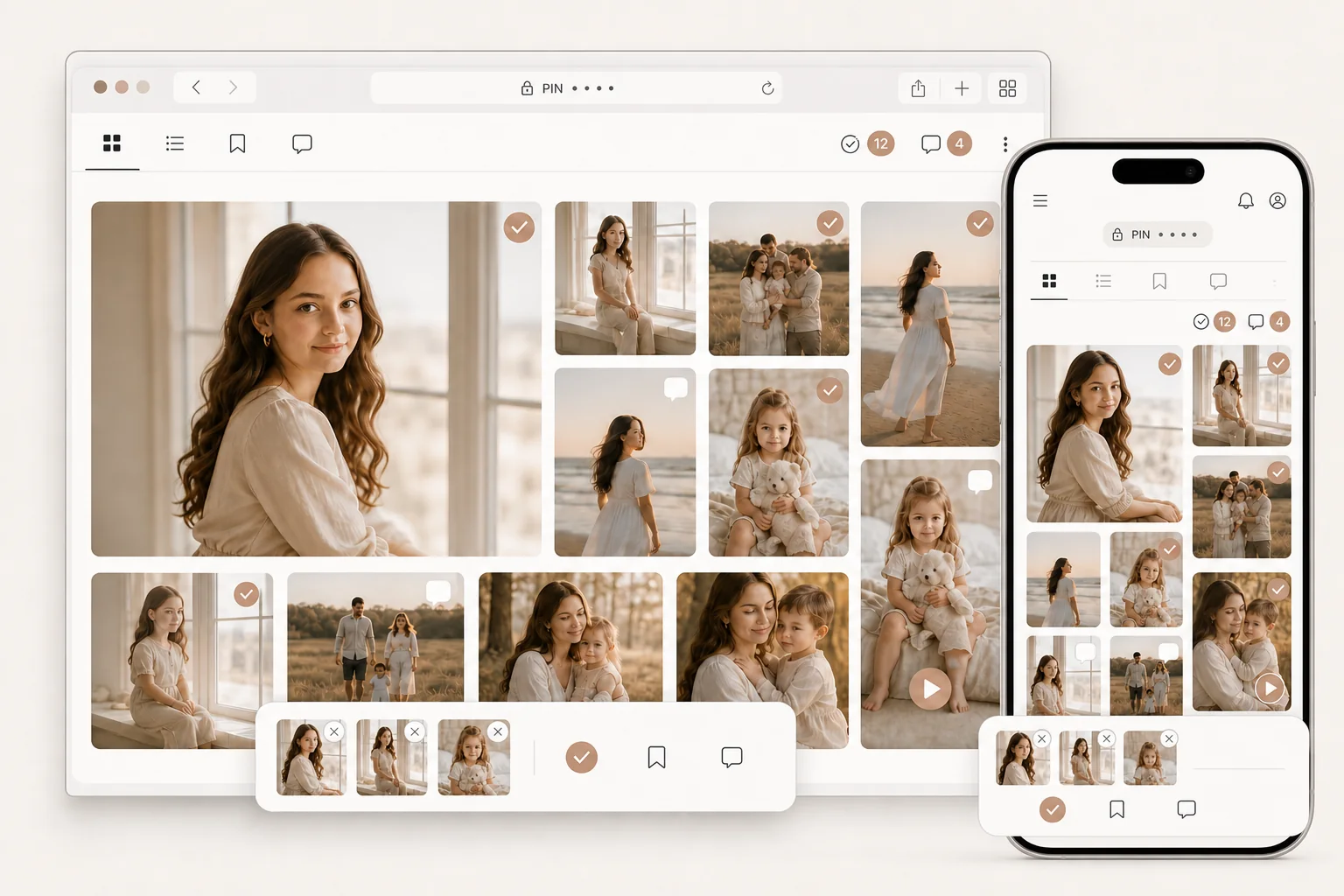
The gallery, selections and client comments all live in one place.
A photographer’s workspace after the shoot
More than a client gallery: a calm workspace where selections and comments arrive in context, originals are matched automatically, and the right file opens in Photoshop straight from the report.
Built around a real workflow and the familiar challenges that follow every shoot.
The client installs nothing. The photographer’s app runs on Windows.
01More than a gallery — one workspace
02Originals stay local
03From comment to Photoshop in one click
No manual searching
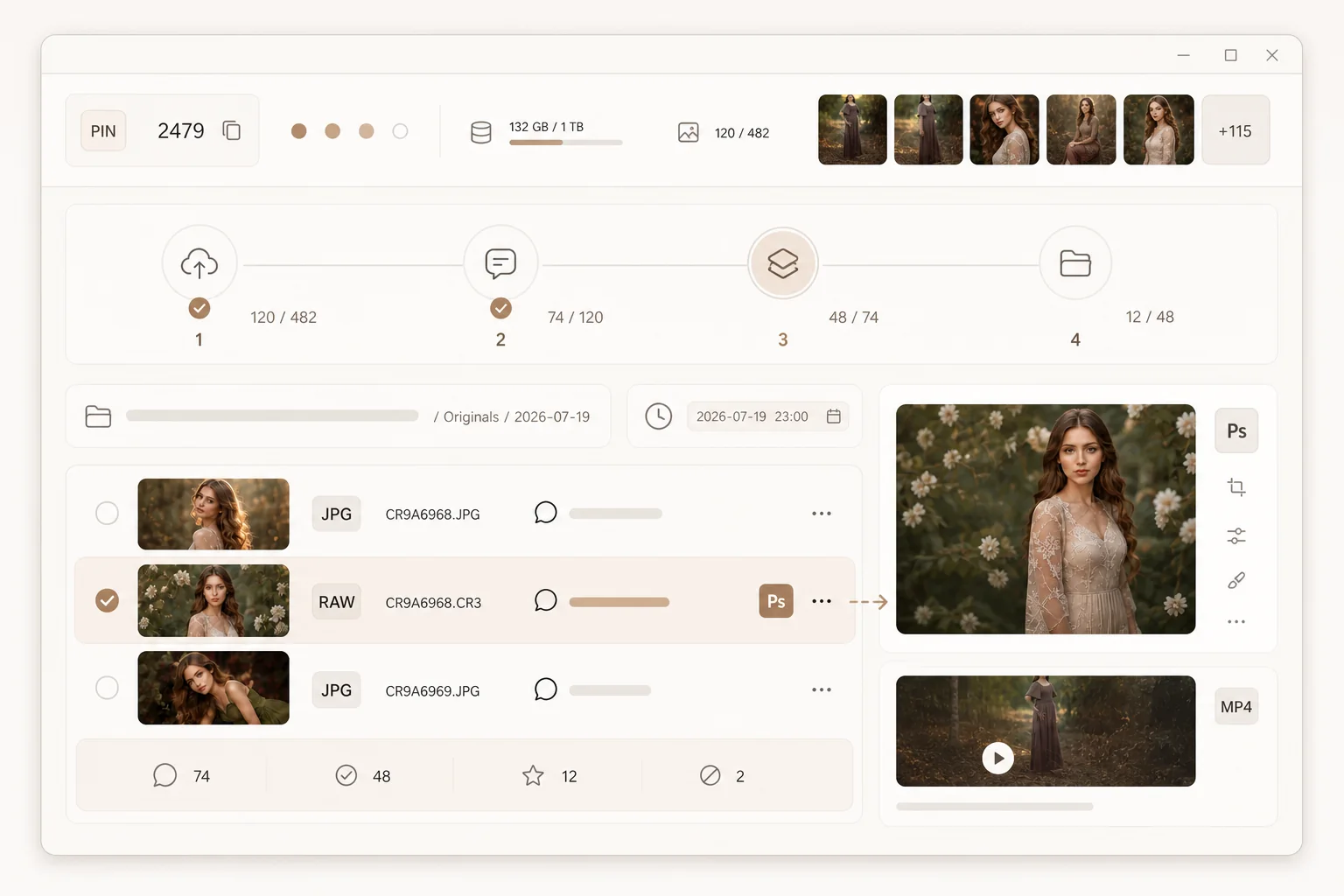
Album picks, retouch selections and client comments are automatically matched to files in the local shoot folder. Instead of three separate lists, the photographer gets clear working categories and one practical report.
Every mark leads to the right file: file names, client selections and comments remain synchronised all the way from the gallery to the local originals.
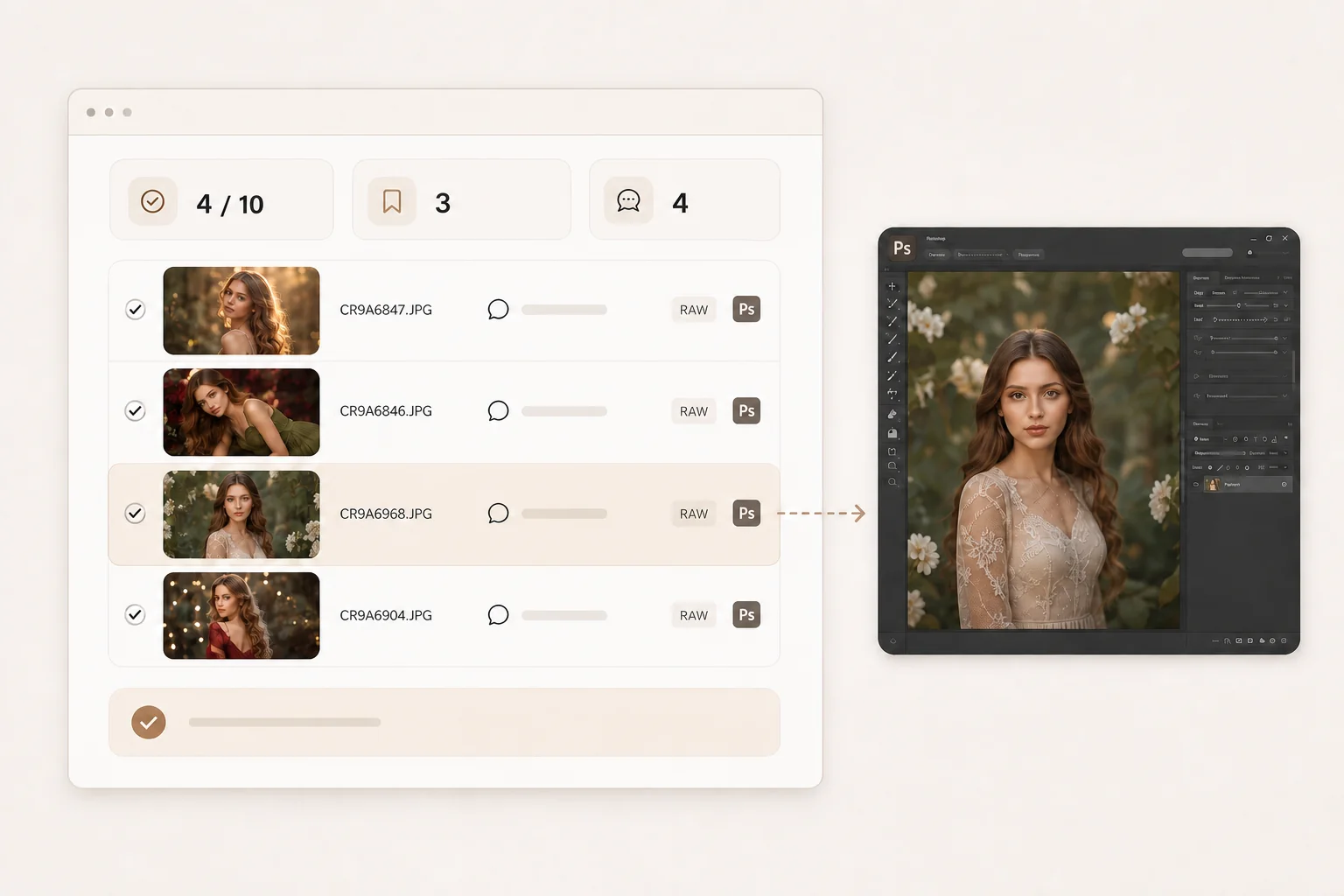
Click “Open” beside a comment and PhotoSeder finds the matching original and sends it to Photoshop without another folder search.

Comment: “Remove the person in the background”

Comment: “Make the image a little warmer”
After the shoot
PhotoSeder connects the client’s selection to the photographer’s files. Comments remain beside each image and the required originals are organised into clear folders.
The gallery, selections and client comments all live in one place.
The app matches selected previews to local originals.
Send an external link or publish finished materials directly in the gallery.
How it works
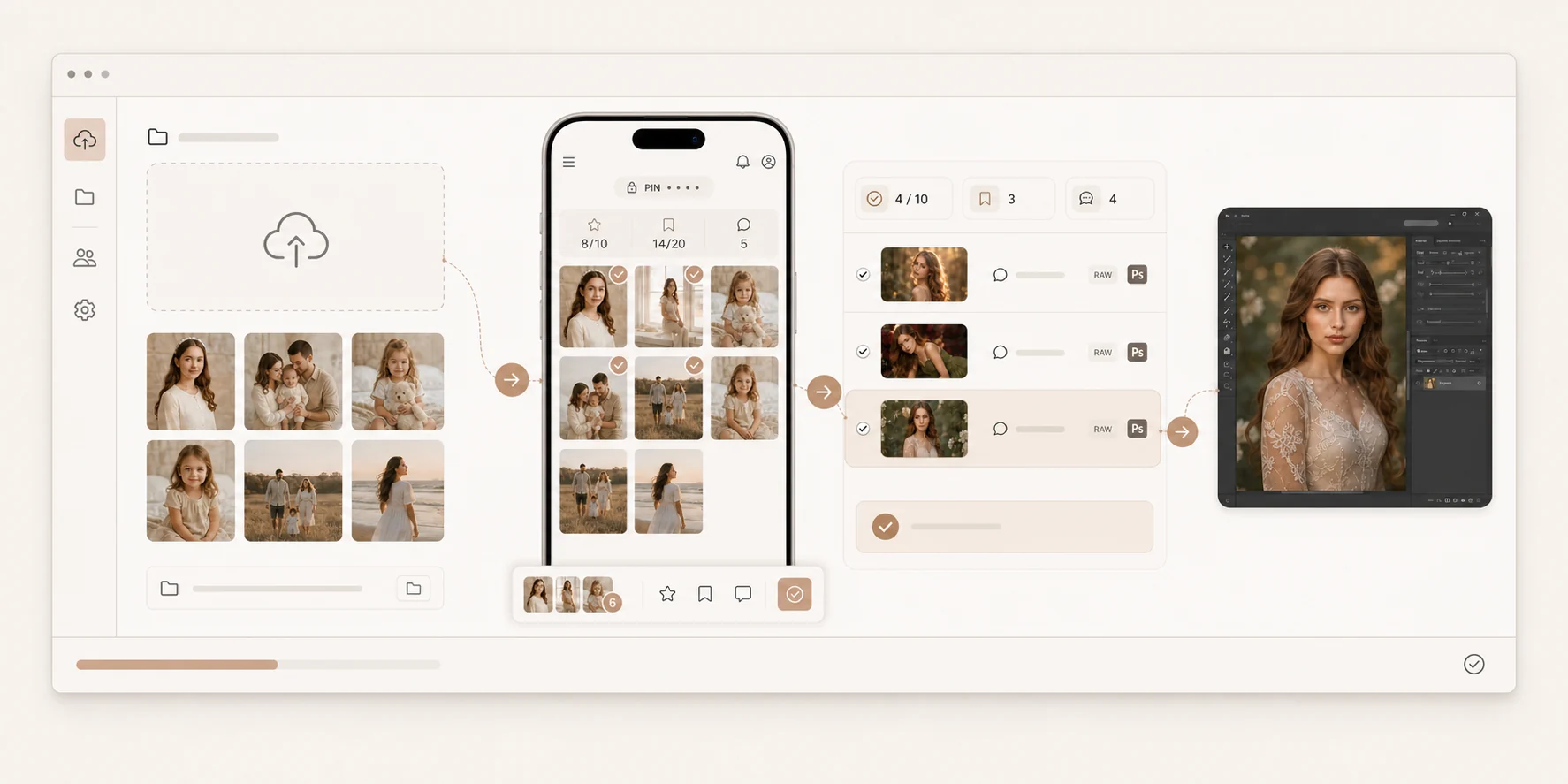
Every client action remains connected to the correct photo and its original on the computer.
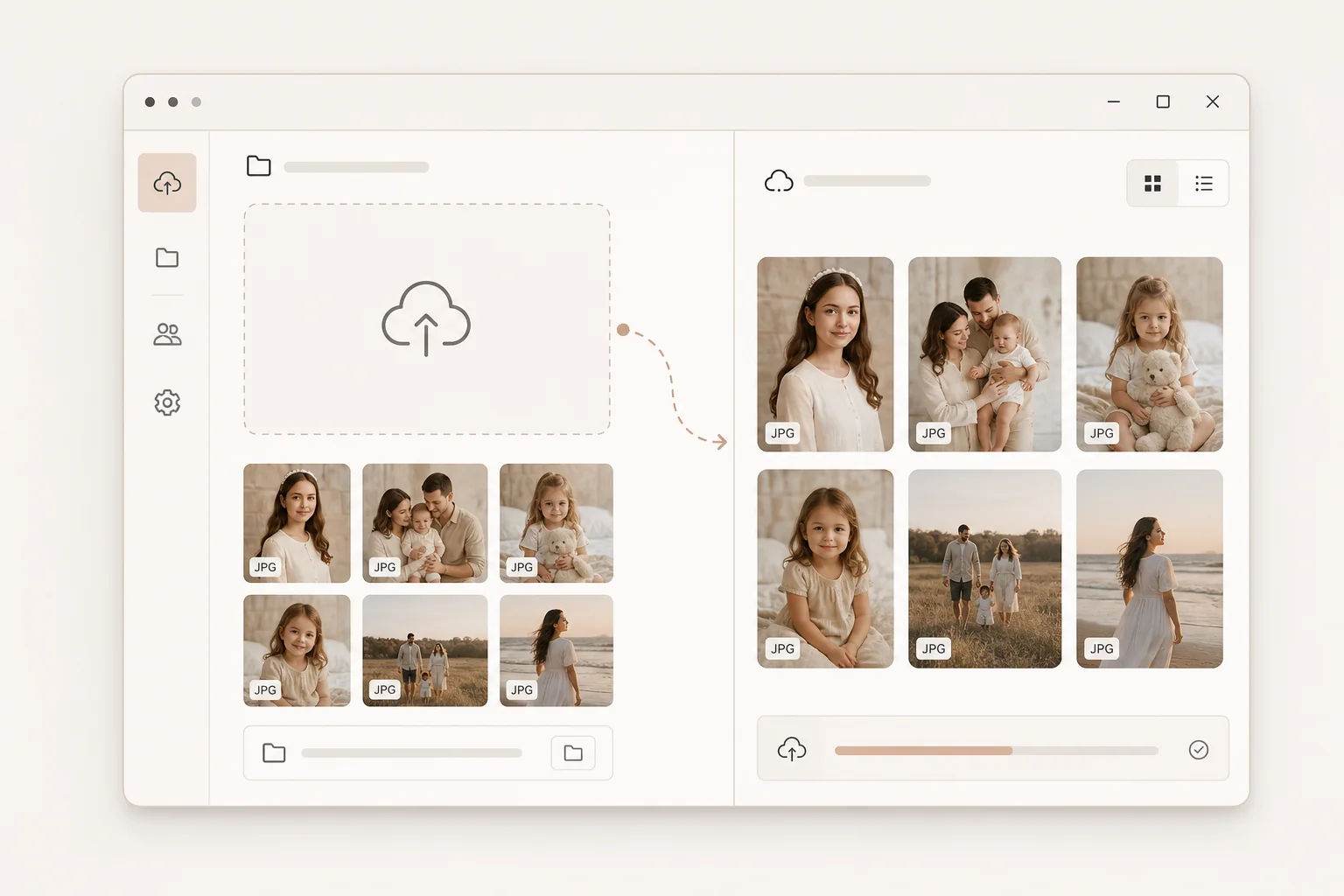
Create a project and choose a folder. PhotoSeder prepares lightweight previews and uploads them to a private gallery.
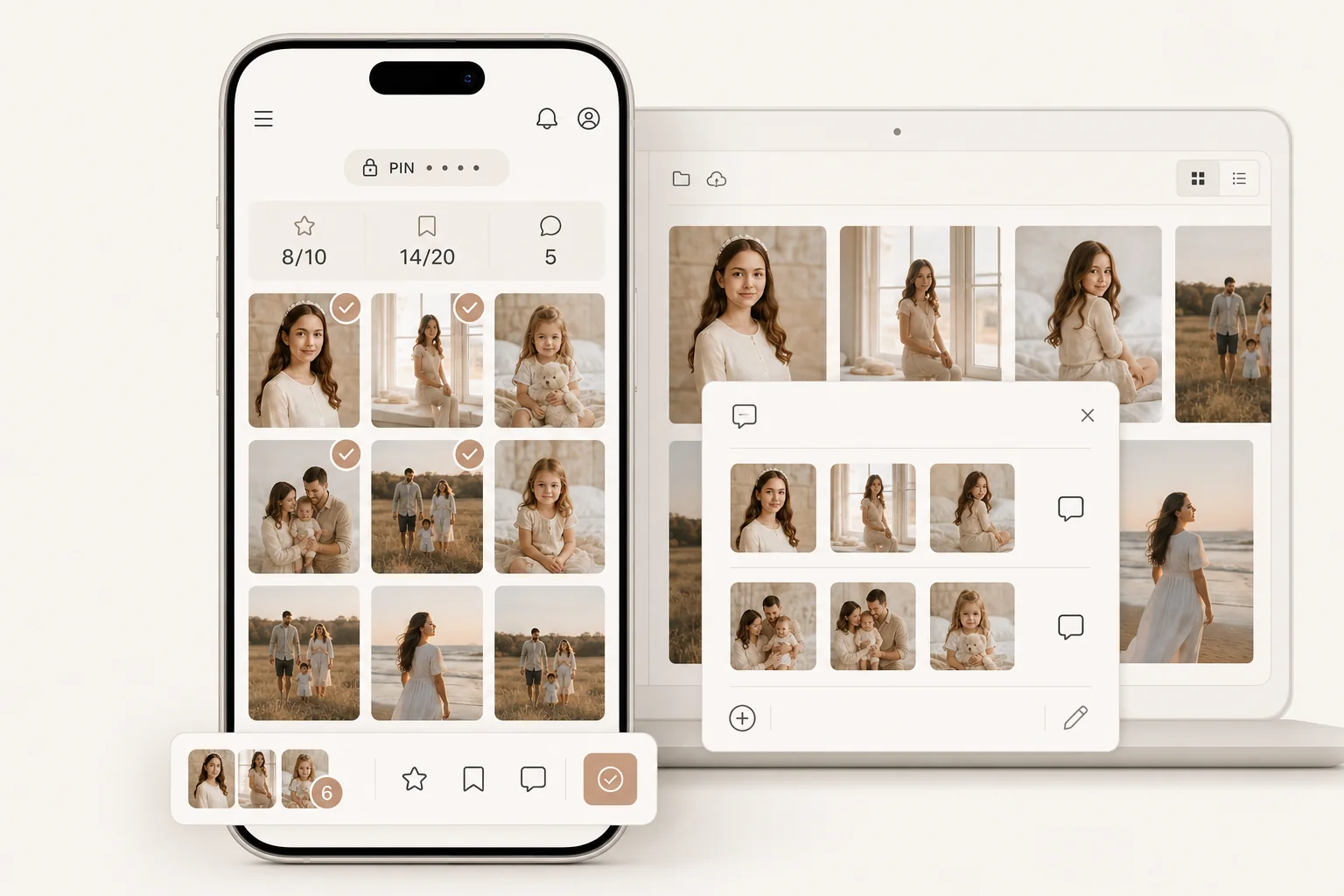
The client opens the link, enters the PIN, selects photos and leaves comments.
The app finds the originals and prepares working folders and a report. The button beside each comment opens the correct file in Photoshop immediately.
Paid plans let you publish finished originals and MP4 slideshows in the client gallery.
Two sides of one product
A link and PIN for every client.
Selections and notes directly beside the photos.
The required local files are gathered automatically.
All comments are organised by photo. The correct original opens in one click.
Use your own external link or built-in cloud space.
Set the photo order, save locally and publish.
Public collections with a cover and the story of the shoot.
Status, selections, comments, files and delivery remain in one workspace.
Demo gallery
Open the test gallery, browse the photos and try selections and comments. The demo uses no real client data and sends nothing to a photographer.
Simple plans
Then ₪49.99 per month. Studio is ₪79.99 per month. Taxes are included.
₪0forever
For getting started and a small number of active projects.
₪5for the first 30 days
Full Premium for 30 days, followed by automatic renewal.
₪79.99per month
For a high volume of shoots and large archives.
The ₪5 Premium offer is available once to new customers. The subscription then renews automatically at ₪49.99 per month until cancelled. Studio is ₪79.99 per month with no introductory period. Paddle Checkout shows the final total, currency, taxes and next charge date before payment.
Privacy and control
Local originals remain on the photographer’s computer until the photographer starts an upload. The client sees only the published gallery and materials the photographer chose to deliver.
Questions and answers
No hidden limitations behind plan wording.
No. The client opens the gallery link in a phone, tablet or computer browser.
Up to three active client galleries, selections and comments, PIN access, local sorting and delivery through your own external link.
A deleted gallery frees one of the three active slots so a new project can be created. The limit applies to galleries active at the same time, not to the total created over time.
For local sorting, originals stay on the photographer’s computer. Separate cloud upload is available on Premium and Studio.
The photographer selects the photos and their order, then starts creation. PhotoSeder automatically produces an MP4, saves a local copy and, on Premium or Studio, can publish it in the client gallery.
The current photographer app is made for Windows. The client gallery works in a regular browser and requires no installation.
The features are the same. Premium includes 100 GB and Studio includes 1 TB of cloud space.
Taxes are included in ILS prices. Outside Israel, Paddle Checkout may show the local-currency equivalent and applicable taxes. The final total is always shown before payment is confirmed.
Open the subscription management link in your Paddle email or account billing section and turn off the next renewal. If the link is unavailable, email [email protected] from your account address.
There will be no next charge, and paid features remain available until the current period ends. After that, cloud originals and video remain downloadable for 30 days.
Get help with cancellation →Start with Free
PhotoSeder stays out of the creative work. It removes manual searching and makes the post-shoot stage calmer. Start with three active galleries for free.